VPN: Installing the Barracuda CloudGen TOTP VPN to Authenticator app
Adding the Barracuda CloudGen TOTP to an Authenticator app
You are going to need two screens and to be offsite or using a hotspot. It cannot done on your cell phone alone.
- Download/Install an authentication app to your phone from your phone's app store. Microsoft Authenticator is recommended, however, you can use the Google Authenticator.
- On a computer (or separate cell phone), navigate to the following web address: https://136.41.64.91/portal/totp.html and click Advanced -> Proceed to 136.41.64.91 (unsafe).
Note: You cannot access this inside a Method Office. You will need to be on a hotspot, cellular data, or offsite on a different network. - Enter your domain username and password. Your username is typically the first letter of your first name followed by your last name. The password is the same password used to access your computer in the office.
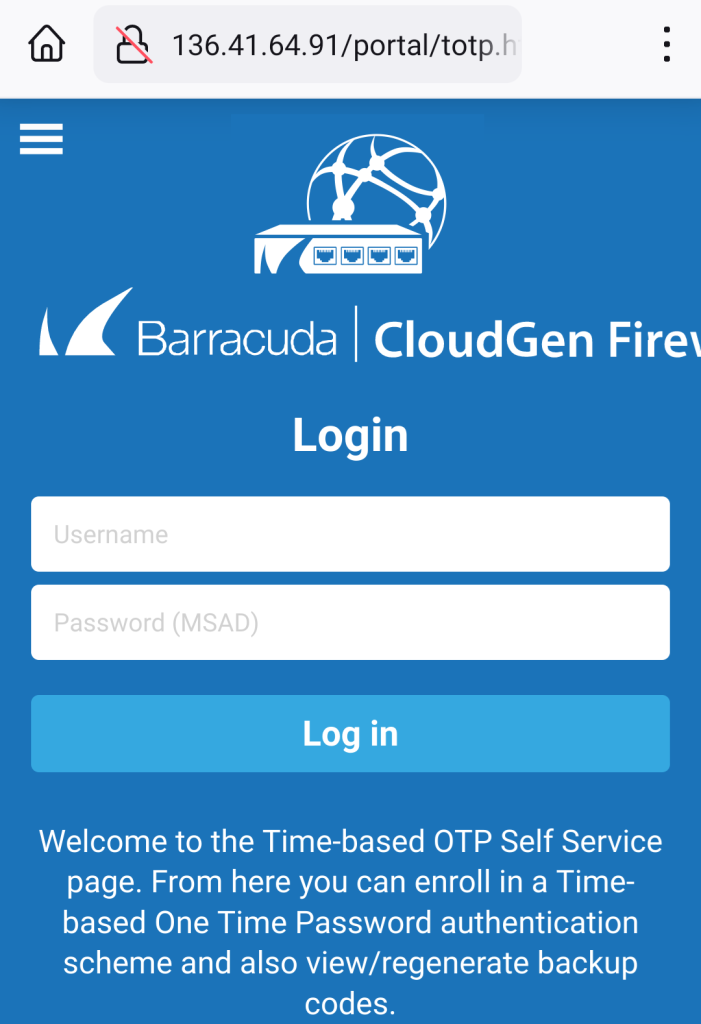
- In your authenticator app, click the + to add a new account. Click Other to set up your Method Barracuda account).
- Your authenticator app will want you to Scan a QR code or Sign in. Choose Scan a QR code.
- Use your phone to scan the QR code on the computer screen (or separate phone). This will add the Barracuda CloudGen Firewall account to your authenticator app on your phone.
- Enter the verification code from your phone app into the screen prompting for the code.
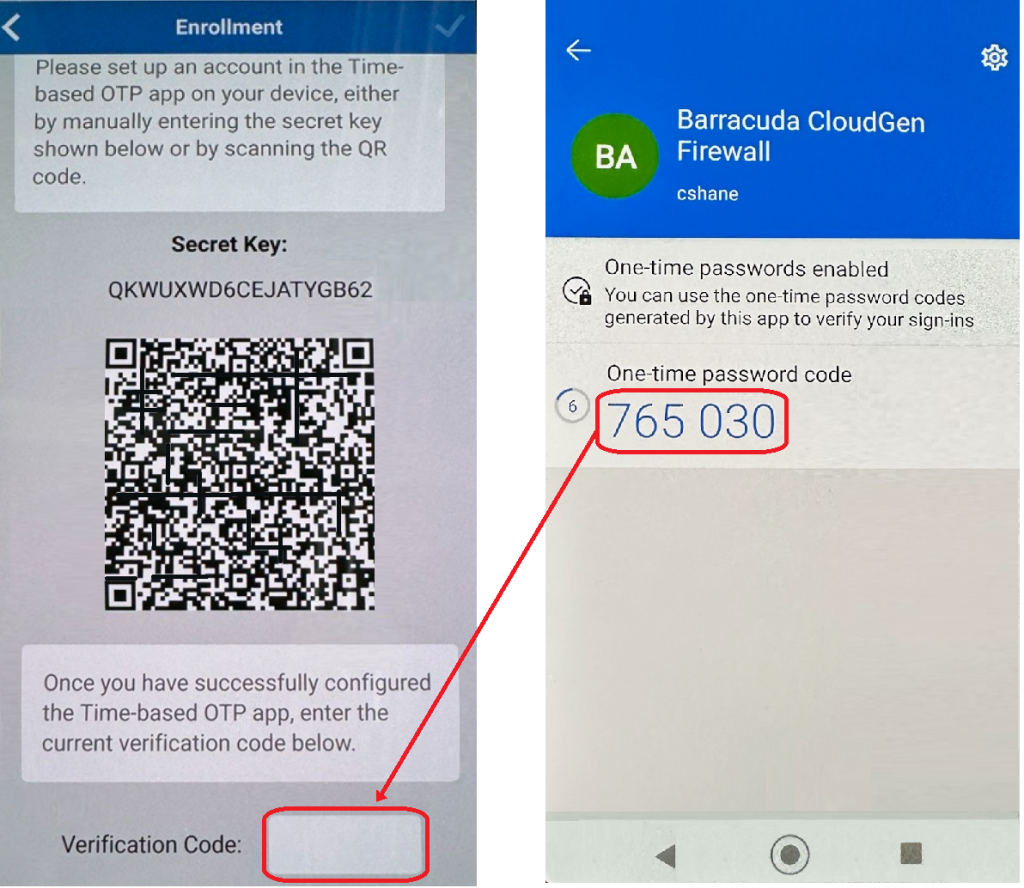
- If the QR code did not work to set up your MFA account, you may need to tap Enter Code Manually and enter the Secret Key.
- Once added, it will automatically regenerate a new code every 30 seconds. When you use the authenticator app, be certain the code isn’t about to expire before entering it.
Related Articles
VPN: Installing & Setting up Barracuda for remote connection (Windows & MacOS)
VPN: Installing & Setting up Barracuda for remote connection (Windows & MacOS) Installing the Barracuda VPN Network Access Client On the computer you will be using to remote into the office, download and install the Barracuda Network Access Client. ...VPN: Troubleshooting Barracuda VPN Client
VPN: Troubleshooting Barracuda VPN Client Here are some troubleshooting steps to take if the VPN isn't connecting. Credentials: Your username should be your first initial last name. The password will be your computer password (not email). Your ...Microsoft MFA: Restore Account Credentials from Microsoft Authenticator
Microsoft MFA: Restore Account Credentials from Microsoft Authenticator You can restore or recover your account credentials saved by Microsoft Authenticator. Important: DO NOT sign in before restoring account credentials. If you have signed in, sign ...Microsoft MFA: Multi-Factor Authentication (MFA) for Office 365
Microsoft MFA: Multi-Factor Authentication (MFA) for Office 365 Method Studio uses Multi-Factor Authentication for all Microsoft Office products. As an employee is onboarded, their accounts will be protected by MFA and must go through the following ...VPN: Understanding Virtual Private Networks (VPN)
VPN: Understanding Virtual Private Networks (VPN) VPN or Virtual Private Network - What is it? What does it do? Understanding Virtual Private Networks is key to safeguarding your information. VPN stands for Virtual Private Network. It's a service ...